

Environment variables have proven to be a valuable solution for creating custom configuration tables within the environment. One of the notable advantages is their seamless integration into solution packages, allowing for effortless movement between different environments without manual transportation.
Initially, retrieving the default or current value of an Environment Variable in Power Automate Flow required multiple queries and looping. This cumbersome process became particularly challenging when dealing with flows that already consisted of numerous steps. An alternative option was using FetchXML to query the Environment Variable, but this approach also consumed additional steps in the flow.
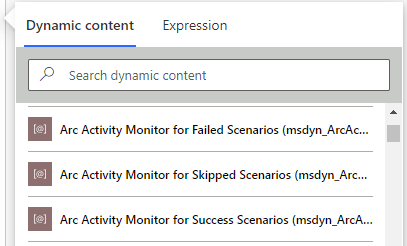
To address these challenges, Environment Variables are now conveniently available as Dynamic Content values. Adding the Environment Variable value is as simple as incorporating a variable, eliminating the need for listing or fetching operations. It’s important to note that by default, the current value is displayed. However, if you require the default value, simply remove the current value, and the default value will be returned instead.
This streamlined approach greatly simplifies the usage of Environment Variables, providing a more efficient and straightforward method to access their values within Power Automate Flow.
Awareness is the greatest agent for change
Eckhart Tolle
 My Trial