

Max: Hey Zoe, have you heard about the feature in Powerautomate that allows us to perform change set requests using flows?
Zoe: No, I haven’t. What’s that all about?
Max: Well, change sets are a way to bundle several operations together, so they either all succeed or all fail as a group. It’s like putting all your eggs in one basket, but in a good way.
Zoe: Interesting. How do we get started with that?
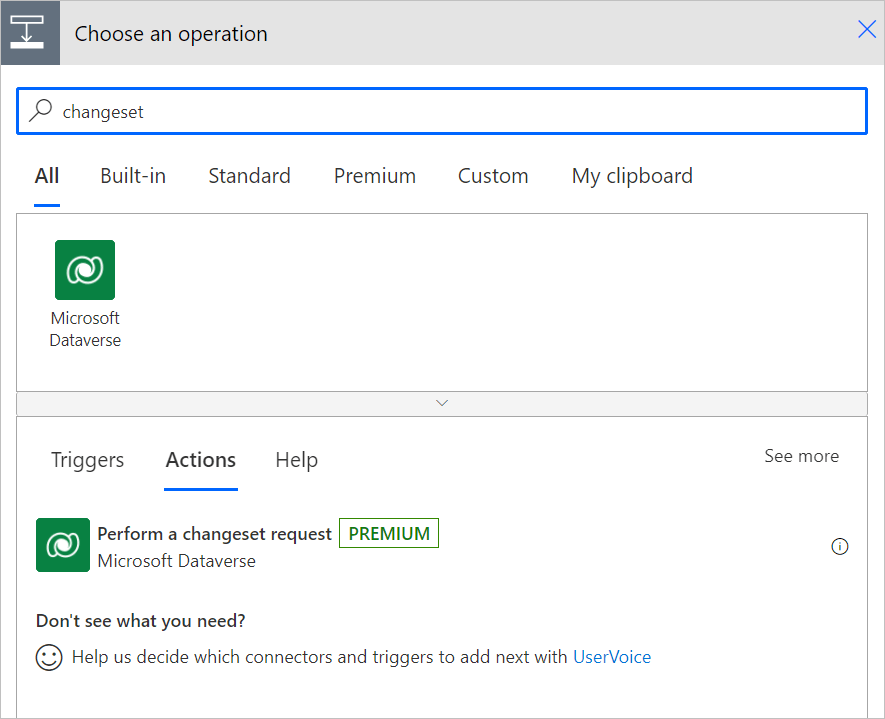
Max: It’s pretty straightforward. First, in our flow, we select “New step” and then type “changeset” into the search box. This filters the operations to only show those related to change sets.
Zoe: Got it. And then?
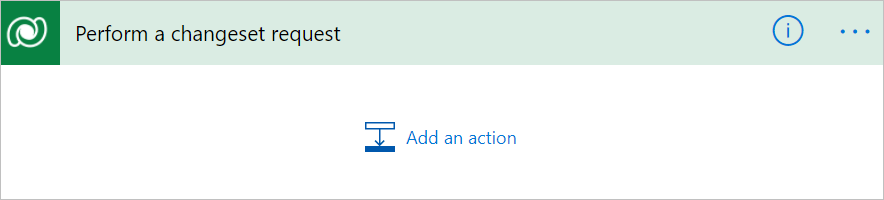
Max: After that, we simply select “Perform a changeset request” to add its scope to our flow. This becomes our container where we can add all the actions we want to include in the change set.
Zoe: So, it’s like a box where we put all our actions together?
Max: Exactly! And here’s the kicker – inside this box, we only have access to three actions: “Add a new row,” “Delete a row,” and “Update a row.” These are the only actions supported within a change set.
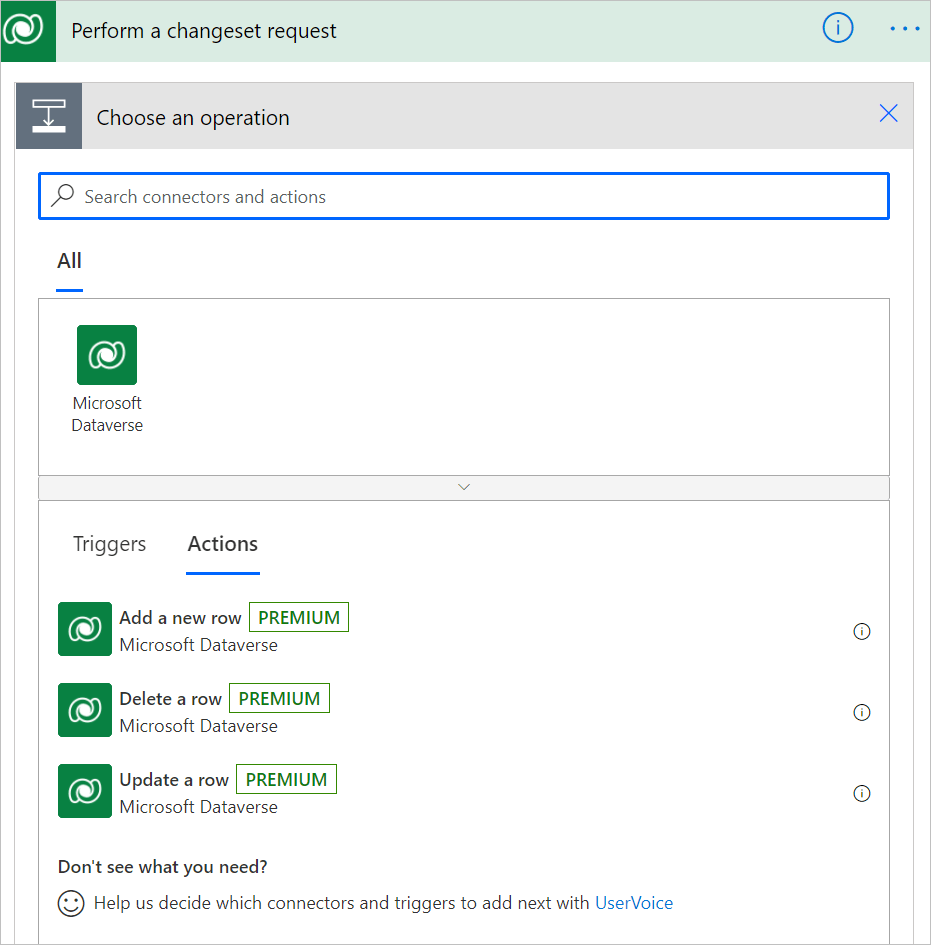
Zoe: Ah, I see. So, we can’t add any other actions inside the change set?
Max: Right. Since all the actions in a change set are evaluated together in Dataverse, there are no dependencies between them. That’s why you won’t see any arrows indicating connections between the actions – they all run simultaneously.
Zoe: Got it. Sounds like a powerful way to ensure consistency in our operations. Thanks for walking me through it, Max!
Max: No problem, Zoe. Let’s dive in and start bundling those operations!
 My Trial