

Max: Hey Zoe, have you checked out the new versioning feature for solution cloud flows?
Zoe: No, I haven’t. What does it do?
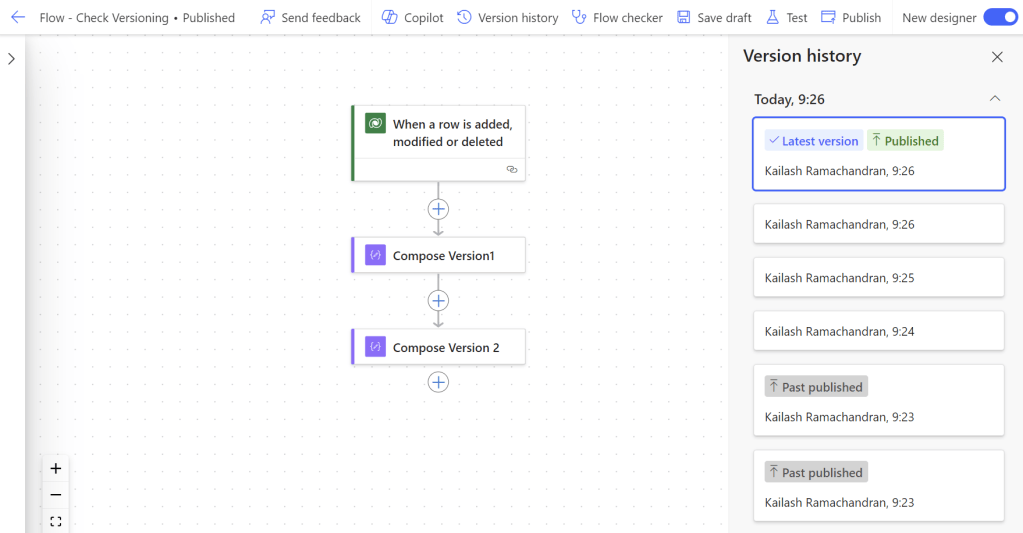
Max: It’s a game-changer. Previously, we didn’t have versioning for cloud flows, so if you needed to revert to a previous version after making changes or encountering errors, you were out of luck.
Zoe: That sounds risky, especially if you make a mistake or need to backtrack.
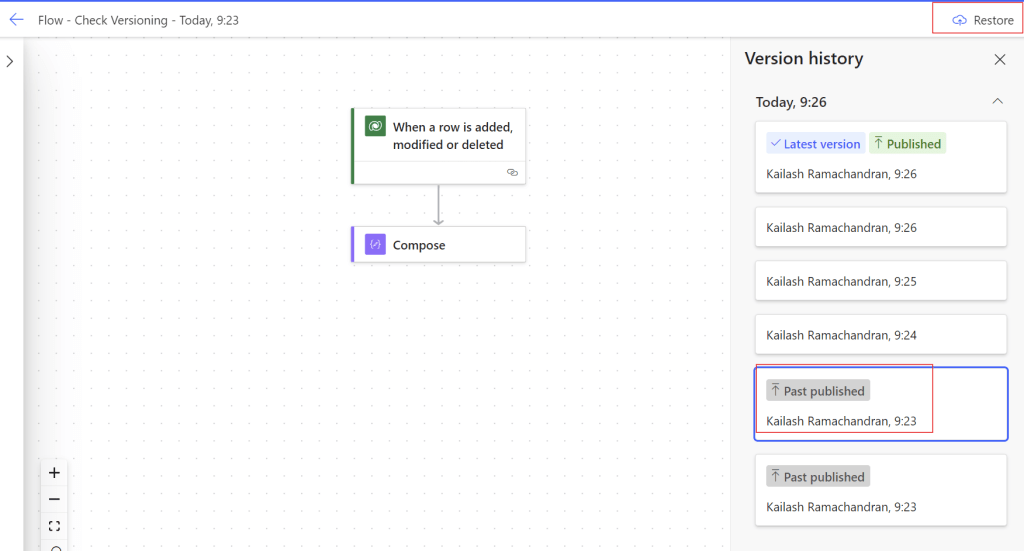
Max: Exactly! But now, you can view and restore past versions of your flows directly from the flow designer. It’s all stored in Microsoft Dataverse, making it secure and easily accessible.
Zoe: That must save a lot of time and headaches. No more needing to rebuild flows from scratch!
Max: Absolutely. It’s about ensuring we always have a working version available. If something goes wrong or you change your mind about an update, you can quickly go back to an older, stable version with just a few clicks.
Zoe: Does this integrate with any source control tools?
Max: Currently, it doesn’t provide source control integration, but it’s a step toward more comprehensive versioning support across the platform. It’s the first solution component to receive this Dataverse-backed versioning.
Zoe: That sounds like a significant improvement for managing our workflows more efficiently and safely.
Max: Definitely, it’s about adding a safety net to our process. It’s great for maintaining continuity and reducing the risk of disruptions.
Zoe: I can see how beneficial that will be. Thanks for filling me in, Max. I’ll start using this feature right away.
Max: Anytime, Zoe! I’m glad I could help. Let’s make the most of this new capability to keep our workflows smooth and efficient.
 My Trial