

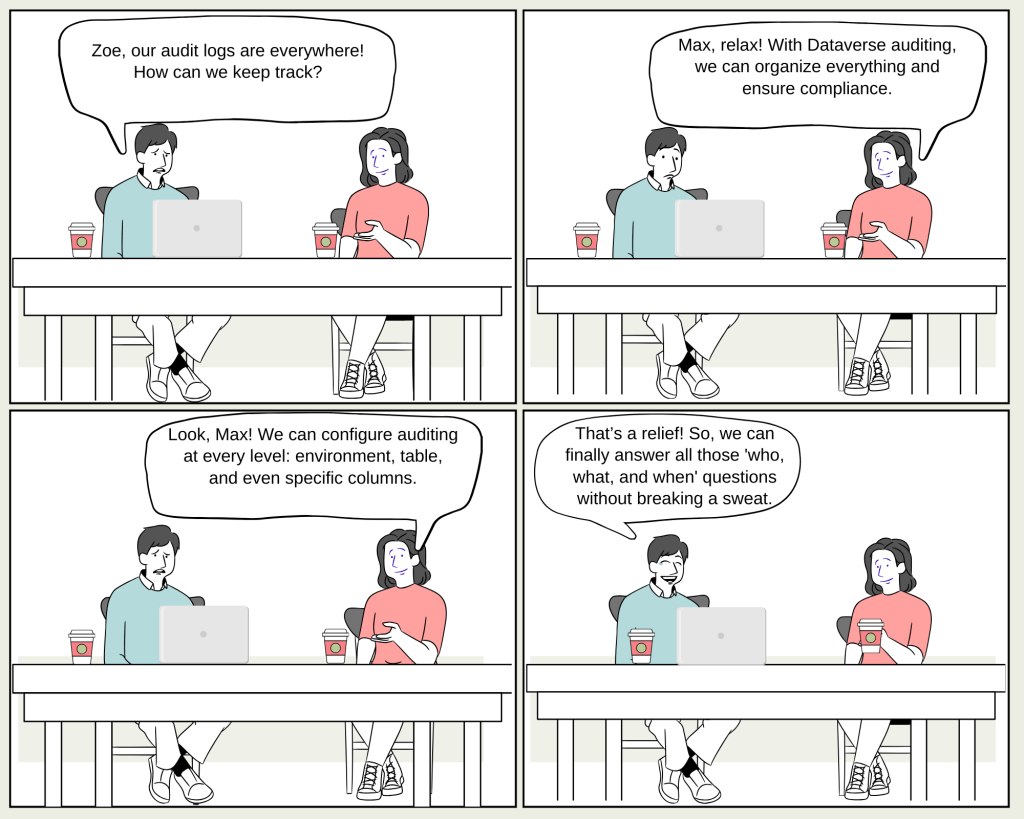
Max: “Hey Zoe, I’ve been hearing a lot about Dataverse auditing lately. What’s the big deal?”
Zoe: “Oh, Max, Dataverse auditing is crucial for compliance, security, and governance. It’s like having a digital watchdog that keeps track of every change in your data, who made it, and when.”
Max: “So, it’s like a logbook for everything that happens in our environment?”
Zoe: “Exactly! Dataverse auditing logs changes made to customer records in environments with a Dataverse database. Whether it’s user access through an app or via the SDK, it’s all tracked.”
Max: “And what can we actually audit?”
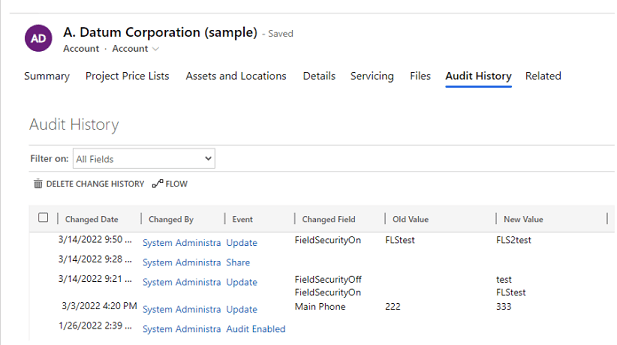
Zoe: “Great question! You can audit create, update, and delete operations on records, changes to sharing privileges, and even Nassociations or disassociations. You can also keep an eye on security roles and audit logs themselves.”
Max: “Wow, that sounds like a lot of data! Where are these audit logs stored?”
Zoe: “They’re stored right in Dataverse, but remember, they do consume log storage capacity. You can view them in the Audit History tab for a single record or in the Audit Summary view for a broader look at all audited operations.”
Max: “Can we customize what gets audited?”
Zoe: “Absolutely! Auditing can be configured at three levels: the environment, table, and column. But auditing must be turned on at the environment level first. Then you can specify which tables and columns to audit.”
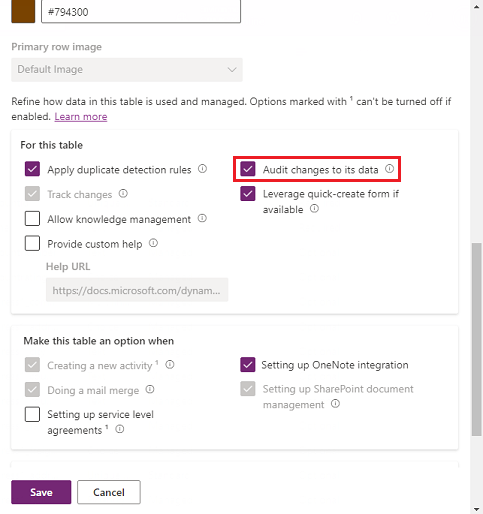
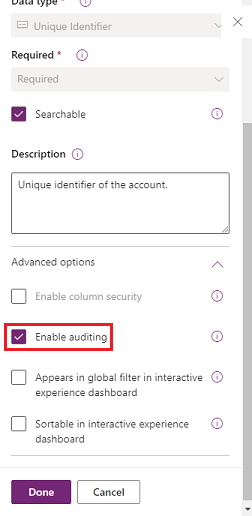
Max: “That’s super flexible! But what if we want to manage the audit logs? Can we set retention policies?”
Zoe: “Yes, we can! In fact, you can set a retention policy for how long these logs are kept in your environment. The default is ‘Forever,’ but you can customize it based on your needs.”
Max: “Sounds like a must-have feature. How do we get started?”
Zoe: “You can turn on auditing through the Power Platform admin center or the Power Apps portal. If you’re an admin, it’s as simple as flipping a switch in the settings.”
Max: “And what about the logs? Can we delete them to free up space?”

Zoe: “Yes, you can delete audit logs when they’re no longer needed. But be careful—once they’re gone, you can’t view the audit history for that period anymore.”
Max: “I see. And what if something goes wrong with the system jobs?”
Zoe: “No worries, Max. You can monitor, cancel, postpone, pause, or resume system jobs in the Power Platform admin center. It’s all about keeping things running smoothly.”
Max: “And what if we need to access audit data for reporting?”
Zoe: “You can use Azure Synapse Link for Dataverse to link the audit table and create reports using Power BI. It’s a powerful way to meet your external and internal auditing, compliance, and governance needs.”
Max: “This sounds like a game-changer for managing our data security!”
Zoe: “It really is, Max. With Dataverse auditing, you’ve got everything you need to ensure your data is secure, compliant, and easy to manage.”
 My Trial