

🚧 What is Blocking in Dataverse?
Blocking occurs when one transaction holds a database resource lock, preventing other transactions from accessing it until the first transaction is completed. This can lead to delays, performance bottlenecks, and even transaction failures.
Imagine a checkout counter at a grocery store where a cashier is scanning a long list of items for one customer. Meanwhile, other customers are forced to wait in line because the counter (resource) is occupied by one transaction. The more people in line, the slower the entire process becomes. This is exactly how blocking works in Dataverse.
🔍 Why Does Blocking Happen?
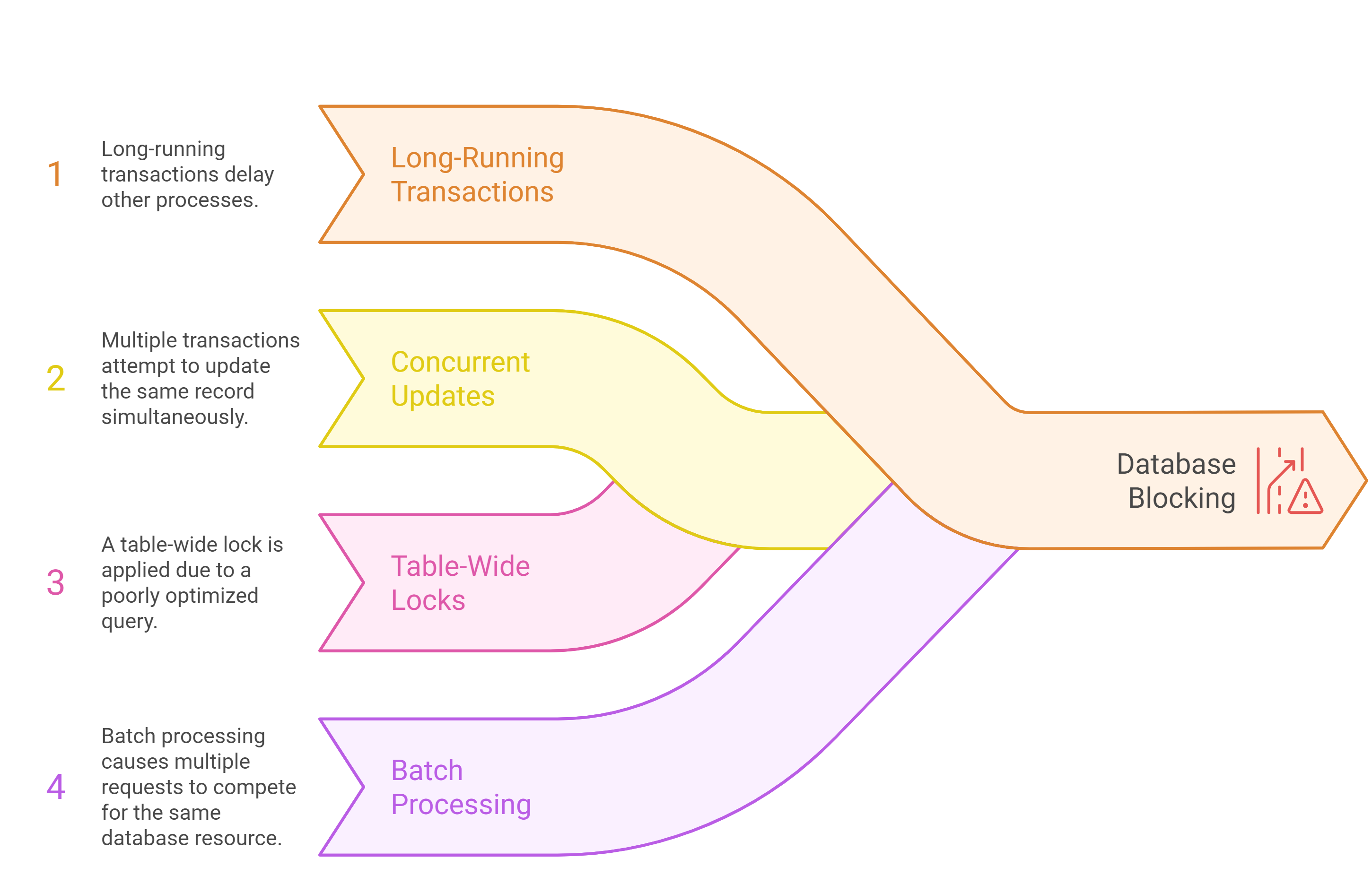
🛑 Common Mistakes That Cause Blocking in Dataverse
Let’s break down the most common developer mistakes that lead to blocking:
❌ Mistake 1: Unnecessarily Holding Locks for Too Long
Many developers write plug-ins that execute long-running operations within a transaction, causing Dataverse to lock the record until the operation completes.
🔴 Bad Practice
public void Execute(IServiceProvider serviceProvider)
{
    ITracingService tracingService = (ITracingService)serviceProvider.GetService(typeof(ITracingService));
    IOrganizationService service = (IOrganizationService)serviceProvider.GetService(typeof(IOrganizationService));

    tracingService.Trace("Starting update...");

    Entity account = new Entity("account");
    account.Id = new Guid("12345678-1234-1234-1234-123456789012");
    account["name"] = "Updated Account Name";

    service.Update(account); // Transaction holds the lock

    // Simulating additional processing (BAD PRACTICE)
    System.Threading.Thread.Sleep(5000);

    tracingService.Trace("Ending update...");
}
❌ Why this is bad:
- The update operation locks the record, preventing other processes from modifying it.
- A 5-second delay unnecessarily extends the transaction duration, causing blocking issues.
✅ Best Practice
Instead of holding a lock for too long, break up transactions and optimize processing.
🟢 Fixed Code
public void Execute(IServiceProvider serviceProvider)
{
    ITracingService tracingService = (ITracingService)serviceProvider.GetService(typeof(ITracingService));
    IOrganizationService service = (IOrganizationService)serviceProvider.GetService(typeof(IOrganizationService));

    tracingService.Trace("Starting update...");

    // Perform quick update
    Entity account = new Entity("account");
    account.Id = new Guid("12345678-1234-1234-1234-123456789012");
    account["name"] = "Updated Account Name";

    service.Update(account); // Minimized transaction time

    tracingService.Trace("Ending update...");

    // If additional processing is needed, do it asynchronously
    System.Threading.Tasks.Task.Run(() => LongRunningProcess());
}

// This method runs outside of the Dataverse transaction
private void LongRunningProcess()
{
    System.Threading.Thread.Sleep(5000); // Simulated long process
}
✅ Why this is better:
- The update operation completes quickly, reducing record lock duration.
- Long-running operations are handled asynchronously, preventing blocking issues.
❌ Mistake 2: Inefficient Bulk Processing
Another common mistake is processing records in bulk inside a transaction, causing locks on multiple records.
🔴 Bad Practice
foreach (var accountId in accountIds)
{
    Entity account = service.Retrieve("account", accountId, new ColumnSet(true));
    account["description"] = "Updated Description";

    service.Update(account); // Multiple records locked at the same time
}
❌ Why this is bad:
- Each update request locks a record, slowing down performance.
- If multiple users/processes try to access the same accounts, Dataverse blocks them until the transaction is complete.
✅ Best Practice: Using ExecuteMultiple for Batch Operations
Instead of updating records one by one, use ExecuteMultiple, which processes updates more efficiently.
🟢 Fixed Code
ExecuteMultipleRequest batchRequest = new ExecuteMultipleRequest()
{
    Settings = new ExecuteMultipleSettings() { ContinueOnError = true, ReturnResponses = false },
    Requests = new OrganizationRequestCollection()
};

foreach (var accountId in accountIds)
{
    Entity account = new Entity("account");
    account.Id = accountId;
    account["description"] = "Updated Description";

    batchRequest.Requests.Add(new UpdateRequest() { Target = account });
}

service.Execute(batchRequest);
✅ Why this is better:
- Reduces the number of database transactions, improving performance.
- Minimizes blocking by processing records in batches.

 My Trial