

So far in our performance series, we’ve covered:
- How to design forms that load fast
- How to build forms that help users get work done faster
Now let’s talk about something that can instantly break both: blocking HTTP requests in client-side code.
JavaScript lets you customize model-driven forms to a powerful degree. But if you’re using synchronous requests, or writing async logic the wrong way, you might be slowing down your app or freezing the user interface entirely.
This post explores why asynchronous data interaction is essential and how to do it right using Power Platform’s client API.
🛑 The Problem with Synchronous Requests
Synchronous web requests stop everything until the response returns. This means:
- Users stare at a frozen UI
- Form events like OnLoad or OnChange block further action
- Large data sets or network latency cause long delays
- Browsers show “Unresponsive script” warnings
Microsoft has deprecated the use of synchronous requests in browsers for good reason. And yet, many legacy forms still use them.
✅ The Asynchronous Approach (and Why It Wins)
With asynchronous calls:
- The UI stays interactive
- You can show loading indicators while waiting
- You can defer actions using callbacks or promises
- You future-proof your app for modern browser policies
In Power Platform, the Xrm.WebApi methods like retrieveRecord, updateRecord, and execute return promises, making async calls clean and natural.
🧪 Real-World Example: Asynchronous retrieveRecord
Xrm.Utility.showProgressIndicator("Checking settings...");

Xrm.WebApi.retrieveRecord("settings_entity", "7333e80e-9b0f-49b5-92c8-9b48d621c37c")
  .then(
    (data) => {
      // Use the returned data
    },
    (error) => {
      // Handle errors
    }
  )
  .finally(Xrm.Utility.closeProgressIndicator);
This keeps the form usable, shows feedback to the user, and handles errors gracefully.
🔁 Async in Events That Don’t Support It
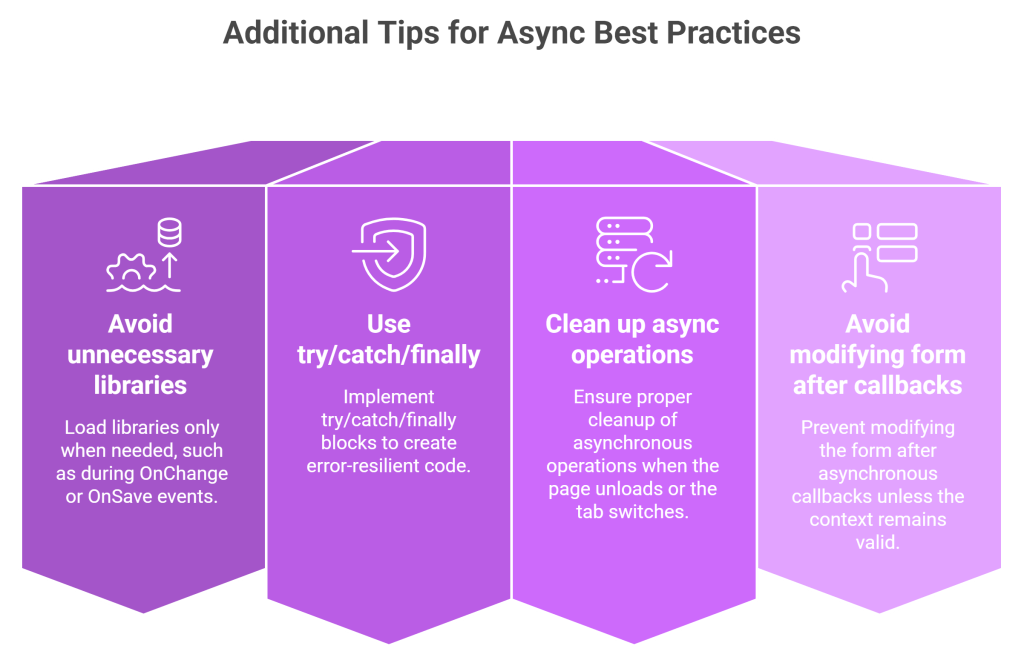
Not all form events support asynchronous code directly. Events like OnChange don’t wait for promises to resolve.
Workaround:
- Use
showProgressIndicator()to pause interaction - Wrap logic in
try...catchblocks - Store and reuse data via caching (e.g.,
sessionStorage)
Example:
Xrm.Utility.showProgressIndicator("Loading...");

Xrm.WebApi.retrieveRecord("account", id)
  .then(result => {
    // Logic with result
  })
  .finally(() => {
    Xrm.Utility.closeProgressIndicator();
  });
🧠 Advanced Strategy: Stale-While-Revalidate + Deduplication
Sometimes, you need the same data multiple times in a session—like configuration from a settings table. Rather than fetch it repeatedly, cache it and revalidate behind the scenes.
Example:
const settingKey = "config_flag";
let requestPromise;

async function getSettingValue() {
  let cached = sessionStorage.getItem(settingKey);

  if (!requestPromise) {
    requestPromise = Xrm.WebApi.retrieveRecord("settings", "ID").finally(() => {
      requestPromise = undefined;
    });
  }

  if (!cached) {
    cached = await requestPromise;
  }

  return cached;
}
This avoids duplicate calls and improves perceived responsiveness.
🧰 Bonus: Async Support in OnLoad and OnSave
Modern model-driven apps support promises in OnLoad and OnSave events. You just need to return the promise from your handler.
function onSave(executionContext) {
  const formContext = executionContext.getFormContext();
  return Xrm.WebApi.updateRecord(...);
}
This lets the platform wait for your operation to complete before continuing.
📝 Summary: Async = Better UX + Future-Proof Code
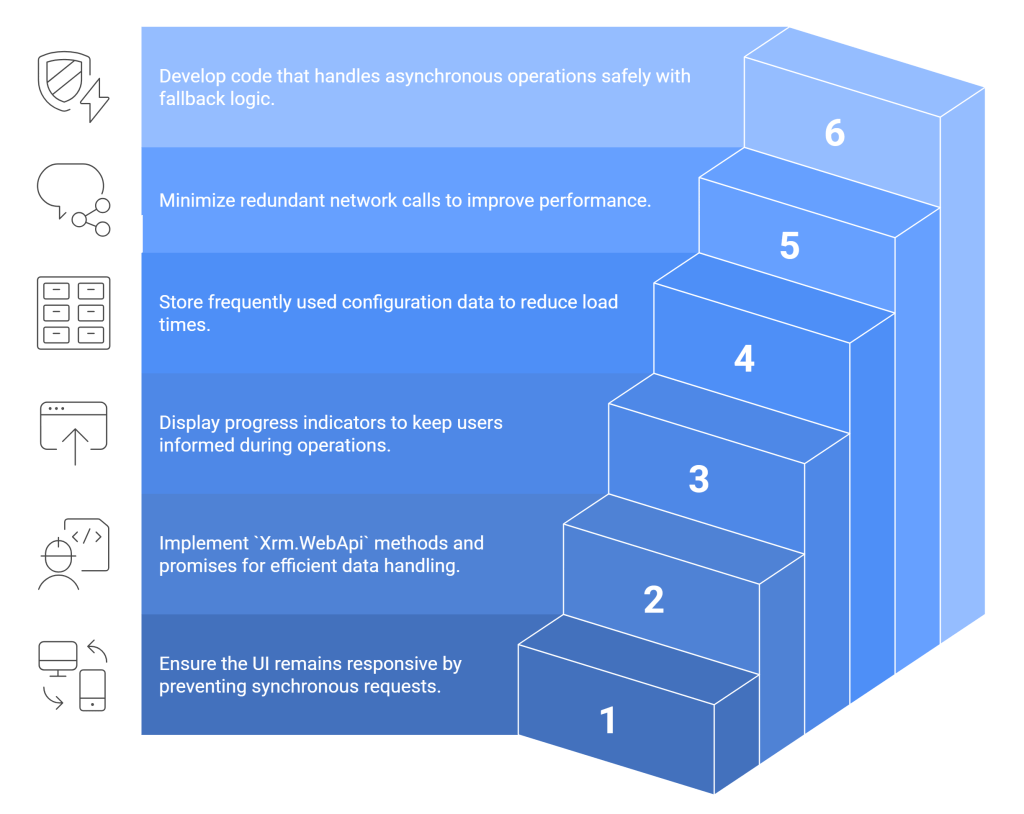
By adopting asynchronous patterns in your client-side customizations, you create responsive, stable, and future-proof experiences for users.
 My Trial