

You’ve optimized forms. You’ve cleaned up schema. You’ve eliminated blocking code. But your users are still complaining:
“It’s fast for some people—but still slow for me!”
That’s your cue to check the network.
In this final part of the Power Platform Performance series, we’ll uncover how network capacity and throughput directly impact performance in model-driven Power Apps, and how to measure, test, and optimize your client connectivity.
🚦 Why Network Performance Matters for Power Platform
Model-driven apps rely heavily on real-time server interactions:
- Form metadata, controls, and ribbon logic are loaded from Dataverse
- Subgrids fetch related records
- Lookups and views query filtered datasets
- Custom JS may make HTTP requests or call APIs
If your client’s connection is weak, delayed, or unstable, even the most well-designed apps will feel sluggish.
📶 What Should a Healthy Network Look Like?
Microsoft recommends the following minimum connectivity thresholds for reliable Power Platform performance:
| Metric | Recommended Baseline |
|---|---|
| Latency | ≤ 150 ms (round-trip to Dataverse endpoint) |
| Download speed | ≥ 5 Mbps |
| Upload speed | ≥ 1 Mbps |
| Packet loss | 0% ideally, <1% tolerable |
| Jitter | Low variability (<30 ms) |
These baselines assume no heavy background activity, like downloads, video calls, or VPN throttling.
🧪 How to Measure Your Network
Microsoft offers a simple tool for users and admins:
🧰 Network Capacity Test
Run the test here:
👉 https://pc.networktest.azure.com
What it tests:
- Download/Upload speed
- Latency to nearest Microsoft Dataverse region
- Jitter
- Packet loss
- DNS lookup times
Pro tip: Run this test from multiple user locations (home, office, VPN, hotspots) to compare conditions.
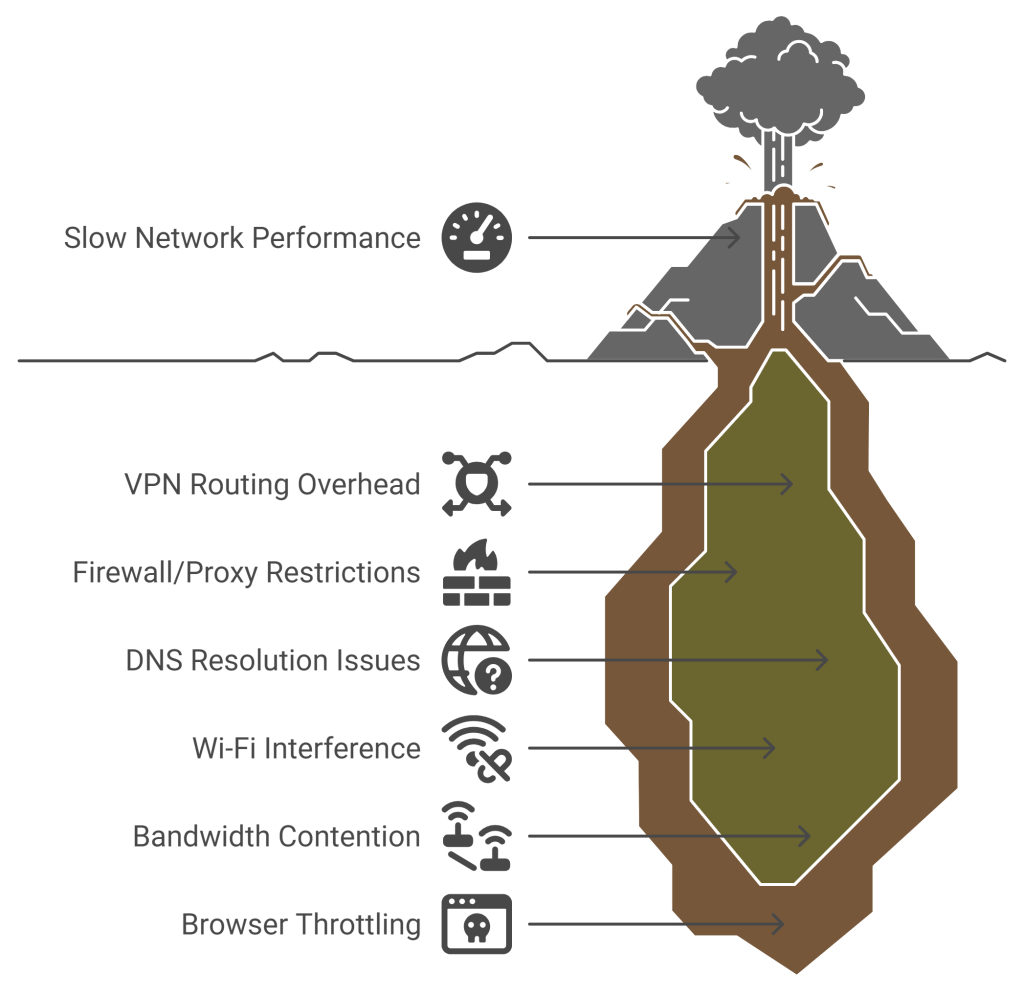
🔍 Where Issues Usually Arise
Even when the app is fine, poor network performance often traces back to:
🛠 How to Improve Network Conditions
🔧 Optimize Routing
- Bypass VPN or proxy for Microsoft endpoints
- Ensure endpoints like
*.powerapps.comand*.dynamics.comare allowlisted - Use local internet breakout for SaaS access (vs. hairpin via data center)
📡 Upgrade Infrastructure
- Move from 2.4 GHz to 5 GHz Wi-Fi where possible
- Use Ethernet for critical scenarios
- Ensure modern routers with QoS (Quality of Service) support
🌍 Align with Geolocation
Ensure users are routed to the closest Microsoft region. Tools like Azurespeed help verify this.
📘 Bonus Tip: Educate End Users
Create a short guide or banner:
“If your app feels slow, run this 1-minute network test and share the results with support.”
This:
- Empowers users to self-diagnose
- Gives support teams real context
- Avoids costly “ghost debugging” of the app when it’s a network issue
🧠 Summary: Not All Slowness Is App Slowness
✅ Network latency, jitter, and speed directly affect how responsive your model-driven app feels
✅ Use Microsoft’s Network Test Tool to baseline client performance
✅ Educate users and route them to nearest Dataverse region
✅ Bypass VPNs or bottlenecks where possible for smoother SaaS access
The best app can only be as fast as the network it runs on.
 My Trial