

In the modern enterprise, data no longer lives in silos. Organizations rely on a diverse mix of applications, services, and platforms and Microsoft Power Platform is no exception. For businesses running on Dynamics 365 or Dataverse, Azure integration unlocks seamless connections with the broader Microsoft cloud ecosystem, enabling high-scale processing, real-time communication, and extensibility through custom services.
In this blog series, we’ll walk through how Azure and Dataverse work together, covering practical patterns, configuration guidance, and advanced integration practices. Let’s begin by setting the foundation.
What Is Azure Integration in the Context of Dataverse?
At its core, Azure integration refers to using Azure resources (like Service Bus, Event Hubs, Azure Functions, Storage, etc.) to process or respond to events in Dataverse (the database behind Dynamics 365 apps and Power Apps).
Instead of writing complex logic directly inside plugins or workflows, you can push events to Azure and handle the logic externally, enabling scalability, performance, and maintainability.
Typical Use Cases:
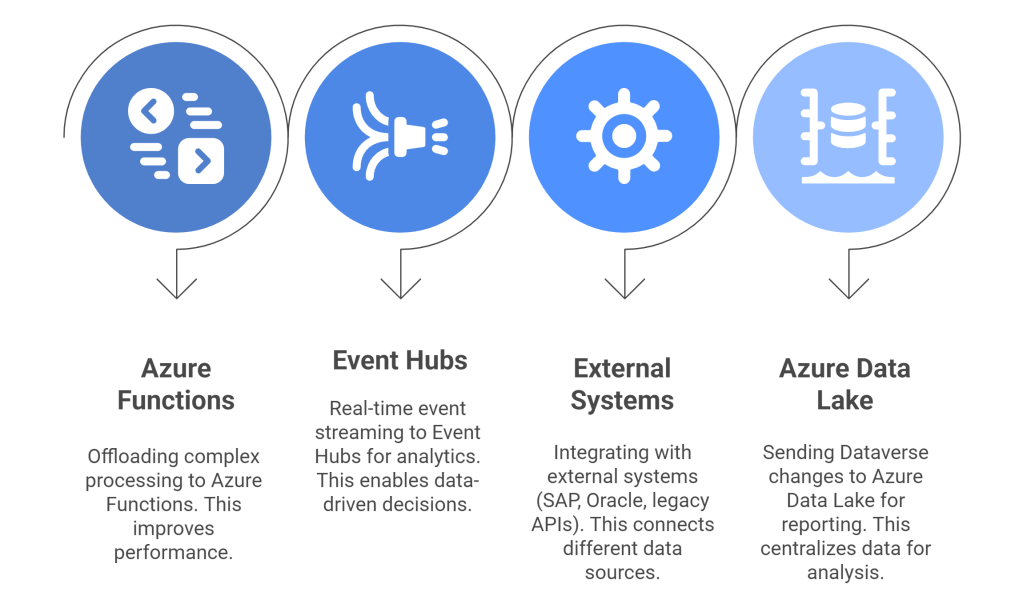
Architecture Overview
Here’s a simplified architecture to understand how messages move from Dataverse to Azure:

This pattern lets you write a plugin that executes on Create/Update/Delete, and posts the execution context to Azure via a Service Endpoint.
You then build an Azure app to consume that context and do something meaningful with it: write to a SQL DB, notify a 3rd party API, run business rules, etc.
Why Use Azure for Dataverse Integration?
Here’s why you’d want to push events to Azure instead of keeping everything inside Dynamics/Power Apps:

It’s a shift from building monolithic server-side logic to building cloud-native, distributed, maintainable solutions.
Tools & Concepts You Need to Know
To set up Azure integration, you need to understand the following:
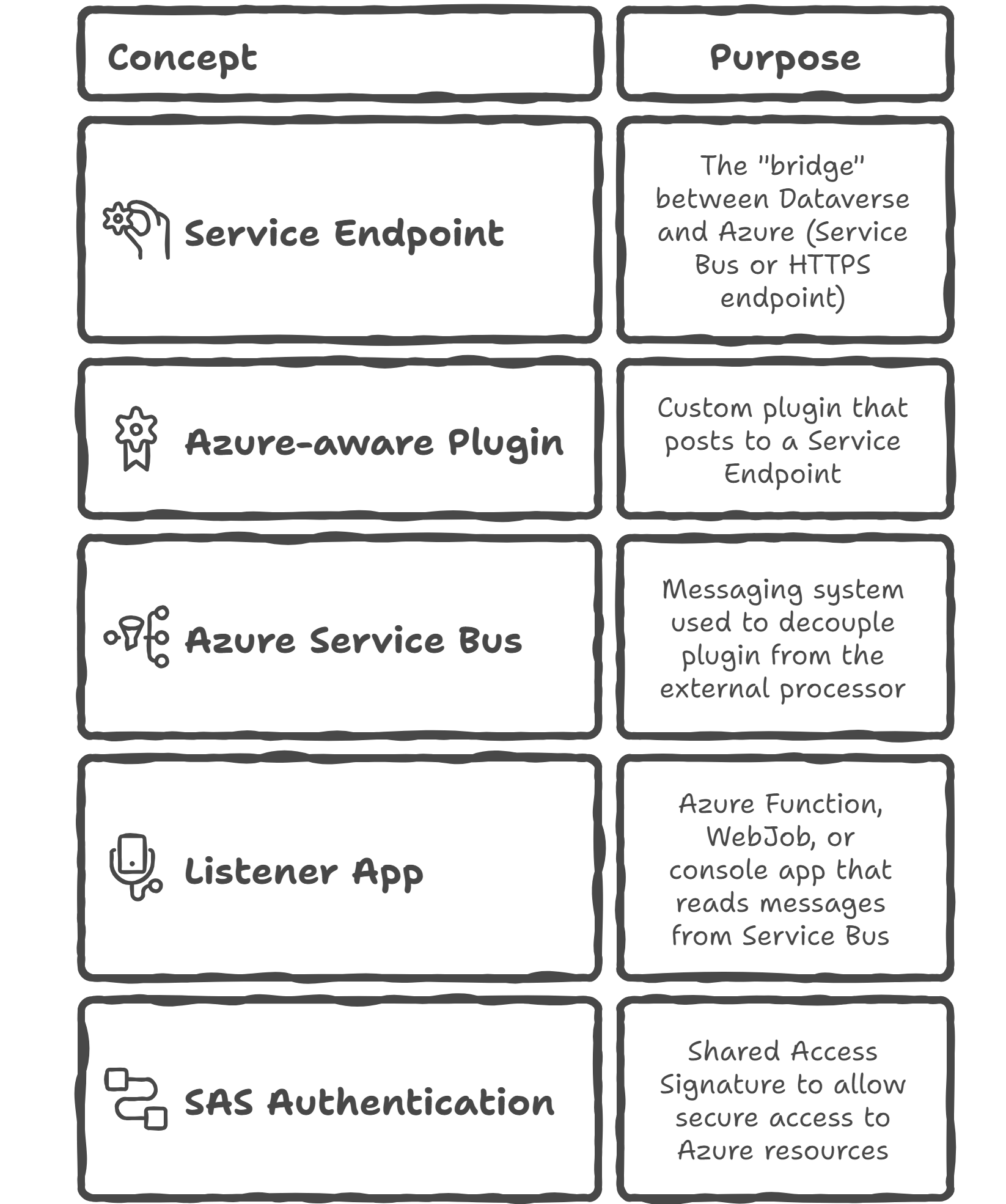
Real-World Scenario: Customer Feedback Pipeline
Problem: You want to capture customer survey responses in Dynamics and send them to a sentiment analysis engine hosted in Azure.
Solution:
- Survey response is saved in Dynamics 365
- A plugin triggers and posts the response to Azure Service Bus
- An Azure Function receives the payload and calls Azure AI Sentiment Analysis API
- The result is saved back to Dataverse or stored in Azure SQL
This keeps your Dynamics app clean while leveraging Azure AI and compute.
Summary & What’s Next
Azure integration isn’t just a nice-to-have it’s a core capability for teams building scalable, maintainable Power Platform solutions.
In this post, we covered:
- What Azure integration means for Dataverse
- Common use cases and architecture
- Key components involved
In Part 2, we’ll explore how to work with data flows and events in Azure, including pushing data to Azure Event Hubs and integrating bulk processing scenarios.
 My Trial
2 thoughts on “Foundations of Azure Integration with Dataverse”