

As enterprise applications grow, so does the data they collect. Test records, outdated leads, or inactive cases can clutter your system, slow performance, and inflate storage costs. Microsoft Dataverse offers a powerful yet underutilized feature to address this: Bulk Delete.
In this first part of our Bulk Delete series, we explore how to use this feature effectively to maintain a clean and efficient environment.
Why Use Bulk Delete?
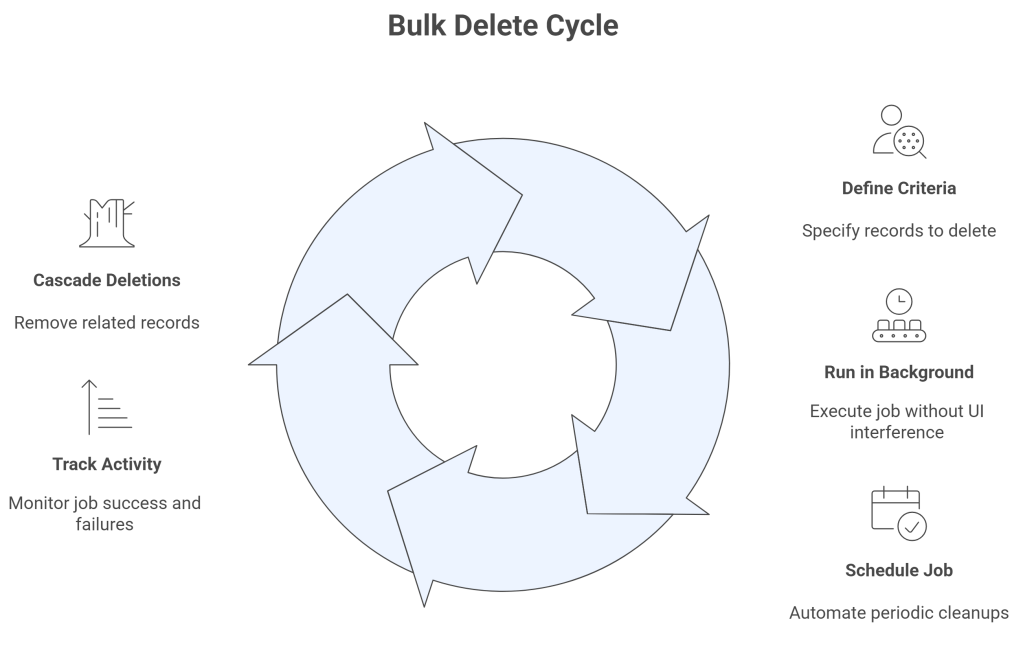
Instead of deleting records one-by-one or writing custom scripts, Bulk Delete lets you:
- Delete at scale: Remove thousands of records across multiple tables in one job.
- Run in the background: Keeps the UI responsive and avoids resource bottlenecks.
- Schedule and repeat jobs: Automate periodic cleanups (e.g., nightly or monthly).
- Track and log activity: Monitor success and failure rates via system jobs.
- Cascade deletions: Honor Dataverse relationship and plugin rules.
How Bulk Delete Works (Under the Hood)
When you submit a Bulk Delete job, Dataverse creates a BulkDeleteOperation system job. It executes asynchronously, meaning it won’t interfere with live operations.
You can configure Bulk Delete through:
- The Dynamics 365 UI (Settings > Data Management > Bulk Record Deletion)
- The SDK using
BulkDeleteRequest - Web API via the
/BulkDeleteaction endpoint
Each job contains a QuerySet to define which records to delete. You can target specific tables or multiple tables at once.
Code Example: Purging Old Resolved Cases
var oldCasesQuery = new QueryExpression("incident");
oldCasesQuery.Criteria.AddCondition("statuscode", ConditionOperator.Equal, 5);
oldCasesQuery.Criteria.AddCondition("modifiedon", ConditionOperator.OlderThanXYears, 5);


var bulkDeleteRequest = new BulkDeleteRequest {
JobName = "Purge Old Resolved Cases",
QuerySet = new[] { oldCasesQuery },
StartDateTime = DateTime.UtcNow,
RecurrencePattern = String.Empty,
SendEmailNotification = false
};


BulkDeleteResponse response = (BulkDeleteResponse)service.Execute(bulkDeleteRequest);
Console.WriteLine($"Bulk Delete Job scheduled. ID: {response.JobId}");
Real-World Example: Cleaning Demo Data
You have a custom table called “Demo Data” used for testing. To prevent buildup:
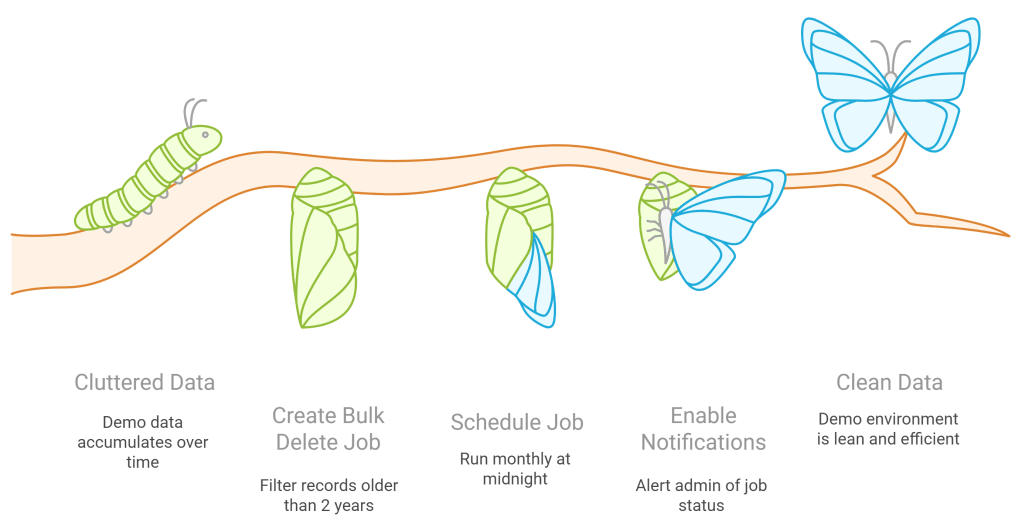
This job will run unattended, keeping your demo environment clean and lean.
 My Trial