

The Duration option is designed to store time intervals or durations within the Dynamics 365 environment. It is particularly useful when you need to capture and manage time spans or periods related to various business processes. This data type enables you to handle durations in terms of hours, days, weeks, months, or even years. This … Continue reading Exploring Duration Options for Whole Numbers
Category: Power Automate
Discovering JSON Value Using a Dynamic Key in Power Automate

JSON (JavaScript Object Notation) is a lightweight data interchange format commonly used for storing and transmitting data between a server and a web application. It provides a simple and structured way to represent data in key-value pairs, making it easy to parse and manipulate in various programming languages. Power Automate offers several options for parsing … Continue reading Discovering JSON Value Using a Dynamic Key in Power Automate
Simplifying Record Reassignment in Dynamics

Transferring records from one user to another in Dynamics is typically an easy task. If you're dealing with a single record or a few records, you can handle it manually. However, when you need to assign all records owned by a particular user to another user or team, it becomes a more significant undertaking. Thankfully, … Continue reading Simplifying Record Reassignment in Dynamics
Modifying OrgDBOrgSettings Configuration with Power Automate

Organizational Settings, also known as Org Settings, encompass a set of configurations that facilitate the management of environment settings in Dynamics. These settings play a vital role in optimizing the user experience and functionality of Dynamics. Let's explore a few examples of these settings: DisableNavTour: By overriding the navigation tour setting for the entire organization, … Continue reading Modifying OrgDBOrgSettings Configuration with Power Automate
SCOPE step in #PowerAutomate

A SCOPE step in Power Automate is used to define a set of actions that are executed as a single unit. It acts as a container for the actions that are included within it, and it helps to isolate those actions from other parts of the flow. This can be useful for a number of … Continue reading SCOPE step in #PowerAutomate
Filter Array #PowerAutomate

An array is a collection of data, such as a list of names, numbers, or objects. Power Automate allows you to filter arrays by specifying certain conditions, so that only the elements that meet those conditions will be included in the final output. For example, let's say you have an array of customer data, and … Continue reading Filter Array #PowerAutomate
Streamlining Data Processing with Power Automate: Harnessing Batch API Requests
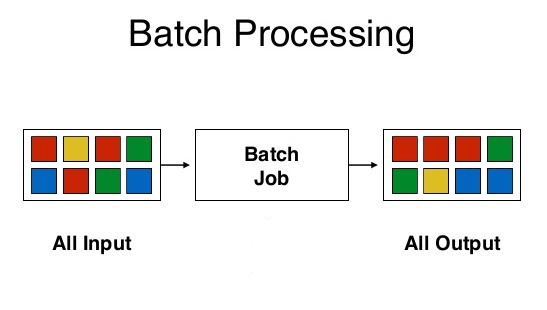
Batching plays a crucial role in effectively managing large-scale data processing, improving performance, and optimizing resource utilization. With Power Automate's enhanced batching capabilities, the low code/no code approach reaches new heights and addresses various data processing scenarios. Another notable feature is the ability to use changesets, which ensure atomic transactions, allowing for rollback in case … Continue reading Streamlining Data Processing with Power Automate: Harnessing Batch API Requests
Using standard CSV data import using Power Automate flow

Data import using CSV or Excel is a feature that is been there since day one. It is a good end user feature that helps to import data quickly in to Dynamics. Using predefined data maps and template the data can be quickly imported without much effort. The log is also a great addition to … Continue reading Using standard CSV data import using Power Automate flow
Cancel running instance of a flow #powerautomate

Power Automate is a powerful tool for efficient business process automation, offering a wide range of connectors to facilitate seamless integration. While configuring flows is typically straightforward, there are cases where it may not be suitable for handling bulk operations or resource-intensive tasks that require processing numerous instances within a limited timeframe. Depending on licensing … Continue reading Cancel running instance of a flow #powerautomate
Export Power Automate run using PowerShell Script

Power Automate flow stores 28 days for history for each flows in an environment. This is a quite a comprehensive log to troubleshoot any error during the executions of the flow. Though there are contextual data that you can add to the history view, exporting and viewing at the historical runs is quite not easy. … Continue reading Export Power Automate run using PowerShell Script
 My Trial