Scheduled flow helps us to automate simple process on a scheduled manner. But sometimes we don’t want this flow to run in specific hours or we want only to run within the specific hours. Basically we want to run this flow only in set times only.
There are couple of ways it can be achieved.
Option 1 :
Set the frequency as Day. Set “At these hours” at what hours the flow needs to run and specify “At these minutes” as comma separated values.
Option 2 :
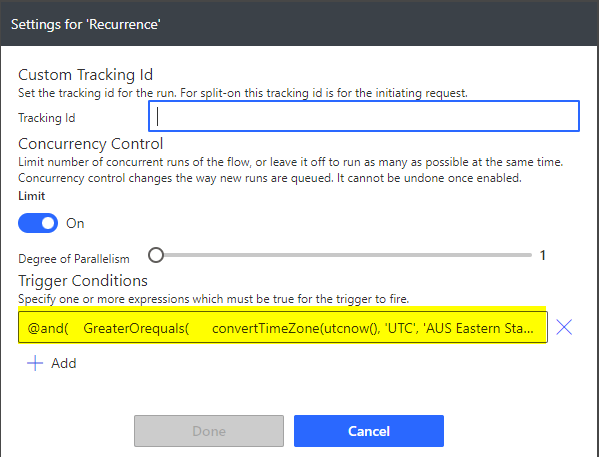
The next option is setting frequency as minutes and use the trigger conditions to restrict the timing of the flow run.
As a Software Consultant by trade, I excel in the intricate art of designing and developing software applications, skillfully navigating through complex technical puzzles. My professional life revolves around programming, but away from the computer, I'm an ardent sports aficionado. I actively participate in a variety of sports, savoring the exhilaration of competition and the joys of physical exertion. In moments of respite from the adrenaline of sports and the focus of coding, I retreat into the rich realms of literature. My love for reading is eclectic, spanning various genres, each quenching my endless curiosity and love for storytelling. More recently, I've embarked on a journey into writing, a venture where I channel my thoughts and imaginative flair into written expressions, exploring this new avenue of creativity with enthusiasm.
View all posts by Kailash Ramachandran



 My Trial