Enhancing Memory and Clarity: The Power of Notes in Power Automate

Have you ever found yourself in the shoes of a selective amnesia-prone developer? You're not alone! It's a shared experience among many of us, especially when it comes to revisiting a Power Automate flow that we configured but haven't touched for a while. The vague sense of having done something, yet the specifics eluding us, … Continue reading Enhancing Memory and Clarity: The Power of Notes in Power Automate

Exploring Duration Options for Whole Numbers

The Duration option is designed to store time intervals or durations within the Dynamics 365 environment. It is particularly useful when you need to capture and manage time spans or periods related to various business processes. This data type enables you to handle durations in terms of hours, days, weeks, months, or even years. This … Continue reading Exploring Duration Options for Whole Numbers

Discovering JSON Value Using a Dynamic Key in Power Automate

JSON (JavaScript Object Notation) is a lightweight data interchange format commonly used for storing and transmitting data between a server and a web application. It provides a simple and structured way to represent data in key-value pairs, making it easy to parse and manipulate in various programming languages. Power Automate offers several options for parsing … Continue reading Discovering JSON Value Using a Dynamic Key in Power Automate

Simplifying Record Reassignment in Dynamics

Transferring records from one user to another in Dynamics is typically an easy task. If you're dealing with a single record or a few records, you can handle it manually. However, when you need to assign all records owned by a particular user to another user or team, it becomes a more significant undertaking. Thankfully, … Continue reading Simplifying Record Reassignment in Dynamics

Modifying OrgDBOrgSettings Configuration with Power Automate

Organizational Settings, also known as Org Settings, encompass a set of configurations that facilitate the management of environment settings in Dynamics. These settings play a vital role in optimizing the user experience and functionality of Dynamics. Let's explore a few examples of these settings: DisableNavTour: By overriding the navigation tour setting for the entire organization, … Continue reading Modifying OrgDBOrgSettings Configuration with Power Automate

Send notifications from the power automate flow to model-driven app

Power Automate allows you to send in-app notifications to users in Dynamics 365 model-driven apps. Here are the steps to follow: Create a new flow: Open the Power Automate designer and create a new flow. Add the "Create a new record" action: Select the "Create a new record" action and choose the "Notifications" entity. Configure … Continue reading Send notifications from the power automate flow to model-driven app

Filter Array #PowerAutomate

An array is a collection of data, such as a list of names, numbers, or objects. Power Automate allows you to filter arrays by specifying certain conditions, so that only the elements that meet those conditions will be included in the final output. For example, let's say you have an array of customer data, and … Continue reading Filter Array #PowerAutomate

Streamlining Data Processing with Power Automate: Harnessing Batch API Requests

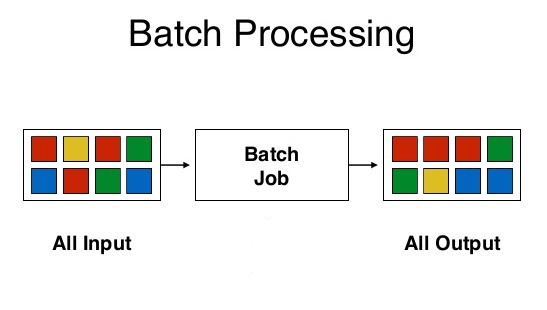
Batching plays a crucial role in effectively managing large-scale data processing, improving performance, and optimizing resource utilization. With Power Automate's enhanced batching capabilities, the low code/no code approach reaches new heights and addresses various data processing scenarios. Another notable feature is the ability to use changesets, which ensure atomic transactions, allowing for rollback in case … Continue reading Streamlining Data Processing with Power Automate: Harnessing Batch API Requests

Using standard CSV data import using Power Automate flow

Data import using CSV or Excel is a feature that is been there since day one. It is a good end user feature that helps to import data quickly in to Dynamics. Using predefined data maps and template the data can be quickly imported without much effort. The log is also a great addition to … Continue reading Using standard CSV data import using Power Automate flow