

“Search isn’t just a feature anymore it’s becoming the foundation for AI, Copilot, and intelligent experiences across Microsoft Power Platform.”
Throughout this series, we have explored how Dataverse Search works behind the scenes from search indexing and relevance ranking to facets, filters, and the search pipeline.
But before any of that can happen, there is one critical step that every Power Platform administrator must get right:
Configuring Dataverse Search.
When you open the Power Platform Admin Center, you will notice that Microsoft groups several search-related settings under Dataverse Search.
At first glance they look like simple toggle switches.
In reality, these settings enable three distinct platform capabilities:
- Search Indexing – preparing business data for fast search and AI.
- Global Search – providing a unified search experience across model-driven apps.
- Search-Only Experiences – enabling modern applications where search becomes the primary navigation mechanism.
Understanding how these settings work together is essential for anyone designing enterprise Power Platform solutions.
The Three Pillars of Dataverse Search
Rather than thinking of these as three separate settings, think of them as three layers of the same architecture.
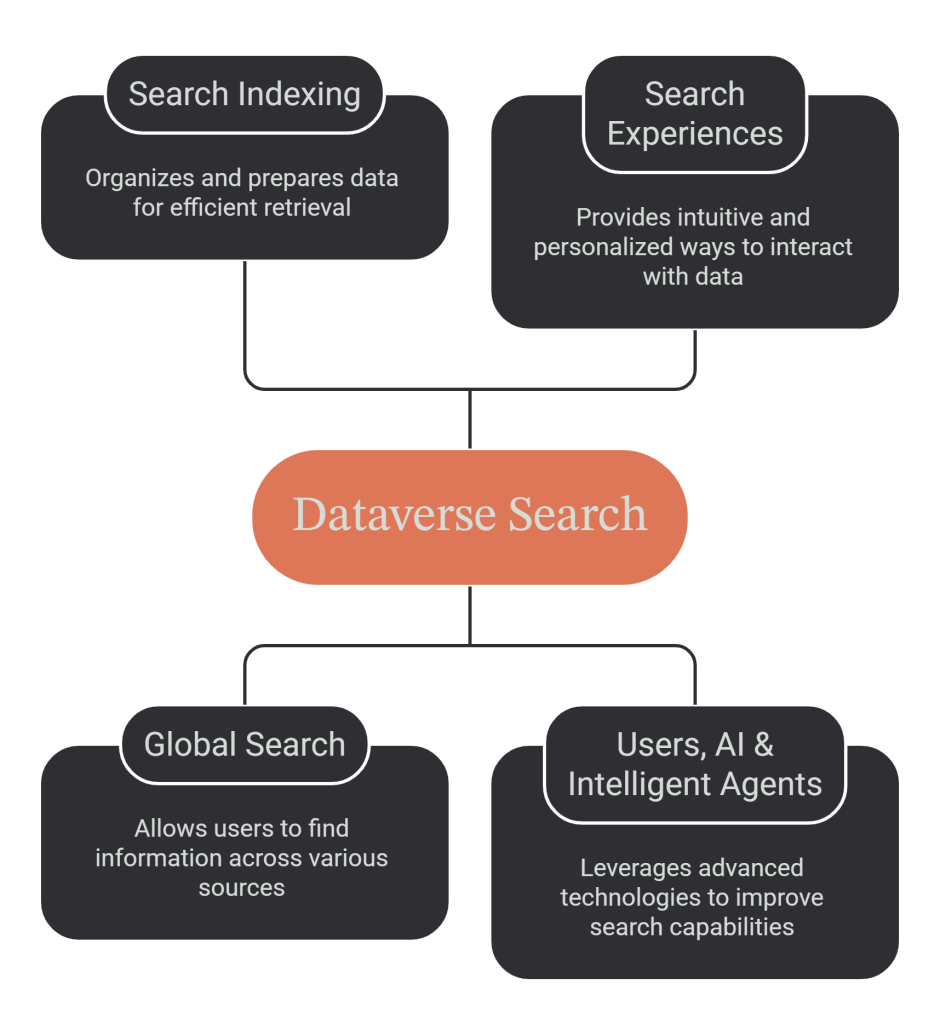
Search Indexing prepares the data.
Global Search allows users to access it.
Search Experiences determine how users interact with it.
Let’s look at each capability in detail.
1. Turn on Search Indexing to Support Dataverse Intelligence (Work IQ)
This is arguably the most important setting in the entire search configuration.
Unlike the Global Search Bar, users never directly interact with Search Indexing.
Instead, this capability continuously prepares searchable business information behind the scenes.
Whenever searchable records are created or updated, Dataverse maintains an optimised search index that can be queried far more efficiently than scanning operational tables.
Historically, this indexing capability existed primarily to support Dataverse Search.
Today, Microsoft is using the same indexed information to power an entirely new generation of intelligent experiences.
These include:
- Microsoft Copilot
- Work IQ
- AI-powered search experiences
- Intelligent agents
- Future semantic search capabilities
In other words, Search Indexing is no longer just about helping users find records it has become part of Microsoft’s AI platform.
Why this matters
Many organisations think:
“We don’t use Global Search, so we don’t need Search Indexing.”
That assumption is becoming increasingly incorrect.
Even if users rarely search manually, AI capabilities still depend on indexed business information.
As Microsoft continues expanding Copilot and agent experiences, Search Indexing is becoming foundational infrastructure rather than an optional feature.
2. Show Global Search Bar in All Model-Driven Apps
If Search Indexing is the engine, the Global Search Bar is the dashboard that users interact with.
Enabling this setting places a search box at the top of every model-driven application in the environment.
Instead of navigating to Accounts, Contacts, Cases, or Opportunities first, users can begin with a single search that spans all searchable tables included in the app.
This creates a much more intuitive experience, especially in environments containing hundreds of tables.
What changes when it’s enabled?
Once enabled:
- Dataverse Search becomes the default global search experience.
- Traditional multi-table Quick Find (formerly Categorized Search) is no longer available.
- The search bar is shown across all model-driven apps in the environment.
One important design consideration is that this is an environment-level setting.
It cannot be enabled or disabled for individual model-driven applications.
That means every app in the environment shares the same global search experience.
Lifecycle Considerations
Microsoft also notes that Dataverse Search must remain enabled to support several important lifecycle operations, including environment copy, backup, restore, reset, and delete scenarios. If you’re using ALM processes across multiple environments, remember that Dataverse Search must also be enabled in the target environment after copy operations.
How These Features Work Together
The settings aren’t independent they build upon each other.
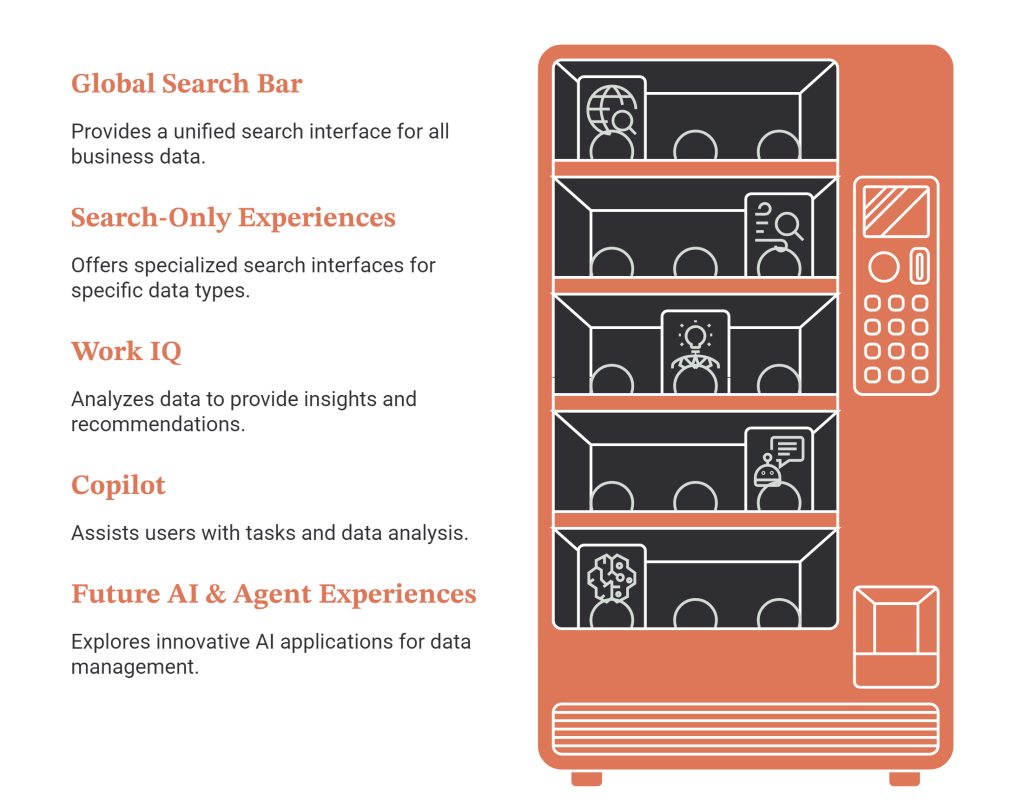
This diagram illustrates an important architectural principle:
Search Indexing is the foundation.
Everything else consumes that indexed information.
Key Takeaways
Dataverse Search has evolved well beyond a simple search feature.
Today, it serves as a shared platform capability powering:
- Global Search
- Search-Only Experiences
- Microsoft Work IQ
- Copilot
- Intelligent Agents
- Future AI-powered capabilities
The environments we configure today will determine how effectively our users and Microsoft’s AI capabilities can discover and interact with business data tomorrow.

