In Dataverse, a business rule is a declarative way to apply a set of conditions and actions in the system. Business rules in Dataverse can be scoped at the entity level and at the form level. The scope of a business rule in Dataverse determines which records and forms the rule applies to. There are … Continue reading Plugin vs Entity scoped business rules

Tag: Dynamics 365
Move D365 Marketing custom triggers between environments
Real-time marketing triggers in Dynamics 365 Marketing are a powerful tool for automating marketing processes and delivering personalized experiences to customers in real-time. These triggers allow you to define specific actions to take place in response to events within the platform, such as form submissions, email opens, or changes to specific fields in records. Custom … Continue reading Move D365 Marketing custom triggers between environments
Dataverse update security role privileges in bulk
Updating security roles in Dataverse, is an important task for ensuring the security and privacy of your business data. By assigning specific roles and permissions to users, you can control who has access to your data and what they can do with it. Updating security roles in Dataverse can be done in several ways, including … Continue reading Dataverse update security role privileges in bulk
Dataverse matrix data access structure aka modernized business units
Business Unit structure is a basic of the security structure on Dataverse. In most of the case it depicts the organisation structure of the business. Standard behaviour of Dataverse is that one user can be part of only one business unit. There are business constraints around that for long time were a user cannot be … Continue reading Dataverse matrix data access structure aka modernized business units
Streamlining Data Processing with Power Automate: Harnessing Batch API Requests
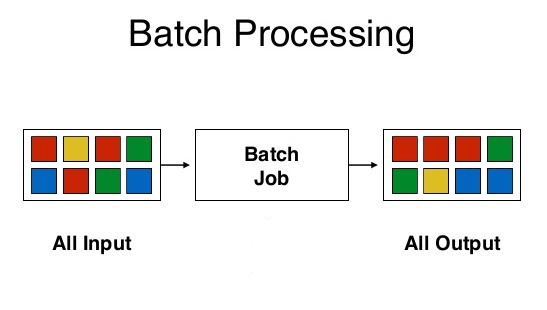
Batching plays a crucial role in effectively managing large-scale data processing, improving performance, and optimizing resource utilization. With Power Automate's enhanced batching capabilities, the low code/no code approach reaches new heights and addresses various data processing scenarios. Another notable feature is the ability to use changesets, which ensure atomic transactions, allowing for rollback in case … Continue reading Streamlining Data Processing with Power Automate: Harnessing Batch API Requests
Using standard CSV data import using Power Automate flow
Data import using CSV or Excel is a feature that is been there since day one. It is a good end user feature that helps to import data quickly in to Dynamics. Using predefined data maps and template the data can be quickly imported without much effort. The log is also a great addition to … Continue reading Using standard CSV data import using Power Automate flow
Where is the advanced find?
Dynamics community since yesterday kind of lost their ever loving tool Advanced Find. Everyone including the business is wondering and finding hard to move out of Advanced Find. But that is what it is now, you need to get used to this new Advanced Filters using the unified interface. How I can able to save … Continue reading Where is the advanced find?
[PowerTips] Hide/Show button for non-admin users using Power Fx
In my previous post, I have articulate how we can use Ribbon workbench to add display rules to show/hide buttons. Introduction of new command designer using Power Fx is also a tool we can use to update the enable or visible rules. Limitation with command designer is that it won't support legacy button to customize. … Continue reading [PowerTips] Hide/Show button for non-admin users using Power Fx
[PowerTips] Hide button for non-admin users without any scripting
Show and Hide ribbon button in PowerApps haven't change for so long. Most of the implementation are not using first party app or its core functionality thus some of buttons are not relevant for the business to have any value. Hiding the button is easy though using ribbon workbench by tampering the ribbon XML. Hiding … Continue reading [PowerTips] Hide button for non-admin users without any scripting
Restrict Scheduled Power Automate flow to run on set times
Scheduled flow helps us to automate simple process on a scheduled manner. But sometimes we don't want this flow to run in specific hours or we want only to run within the specific hours. Basically we want to run this flow only in set times only. There are couple of ways it can be achieved. … Continue reading Restrict Scheduled Power Automate flow to run on set times